Can I merge two Purchase or Storage Locations?
While there isn't a specific "Merge" action, you can easily merge two locations by deleting one and migrating all of the attached items to another. To do so, follow these steps:
- Navigate to the detail page of your Purchase Location or Storage Location.
-
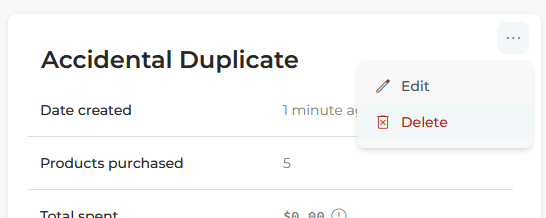
Find the three dots next to the title of the Location, click them, and select "Delete":
-
If you had products attached to that location, you will see a pop-up dialog:
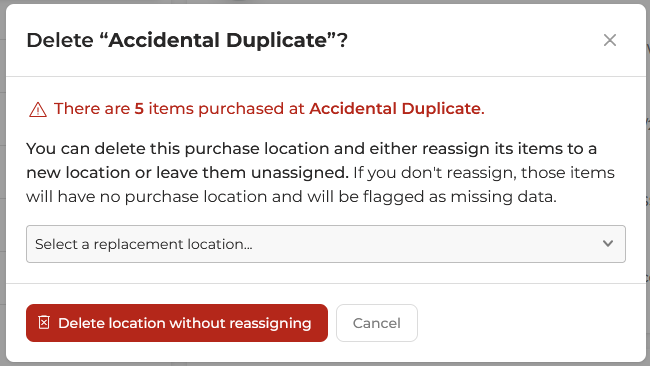
- You now have two choices. You can select "Delete location without reassigning", which will simply remove the location from all associated items. Or you can choose a different location in the drop down, and then select "Move # items and delete location". All of those items will be assigned to the new Location, effectively merging the two.
