How do I import my Pirate Ship data into Flipwise?
Currently, if you purchase your shipping labels using Pirate Ship, there isn't a way for us to automatically add that cost information into Flipwise. However, if you have connected your eBay account with Pirate Ship, we can import Shipping Cost data for you if you follow these steps:
- In your Pirate Ship Reports, click "View All Shipments".
- Set for the date range for the shipping labels you would like to import.
- Click the filter icon next to any one of the columns. If you then click "Columns" and scroll down, you'll see one of the available columns is "Order ID". That should be the eBay order ID, and we can use that to attach the shipping cost for input.
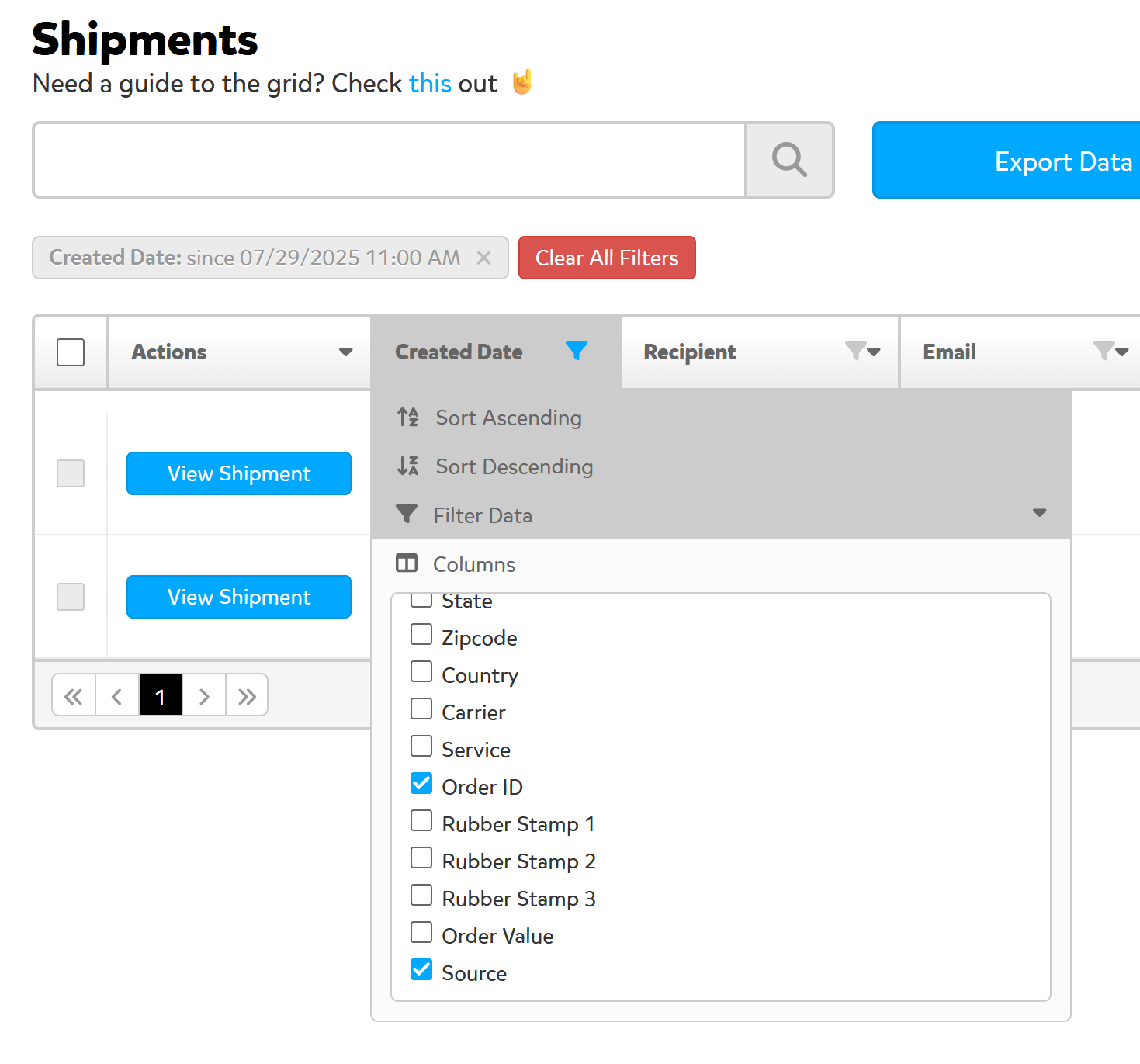
- Select the checkbox next to "Order ID" and then click "Export Data".
- This will create a CSV file. Save and send the file to us at support@flipwise.app, and we'll get that imported right away for you.
Note that you are welcome to send us data in the CSV even if you have already added some of it manually to Flipwise. The import will overwrite any current shipping cost data for the orders.